
FAQ / For Stylists and Creators / How to add your own affiliate links e.g. LTK, MagicLinks, Klarna etc.
How to add your own affiliate links e.g. LTK, MagicLinks, Klarna etc.
There are two ways to add your own/existing affiliate links to your Moonsift collections. We will make this process even easier soon.
Option 1: Replace the link after saving the item
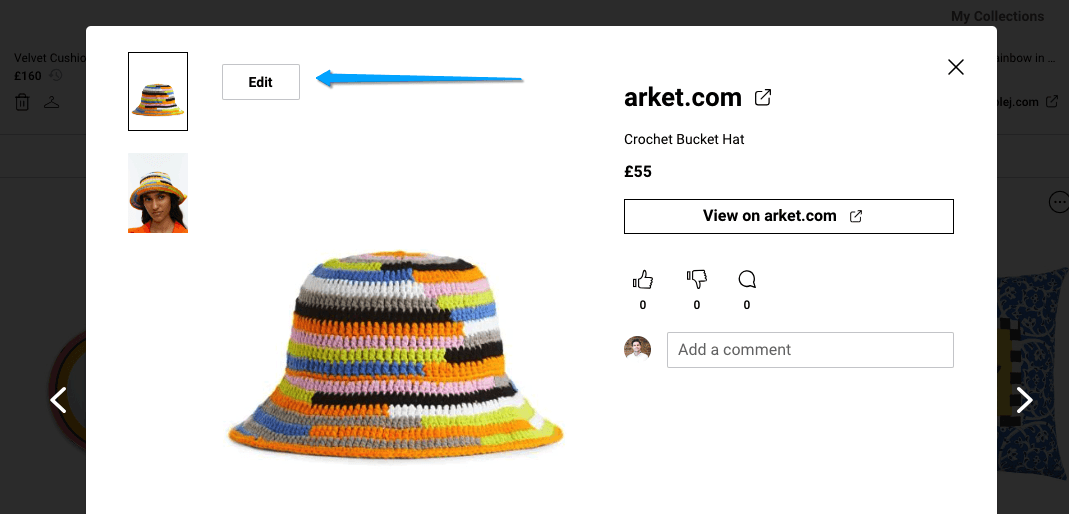
Go to your collection and click on the item you want to add your external affiliate link to
Click the 'Edit' button (as shown below)
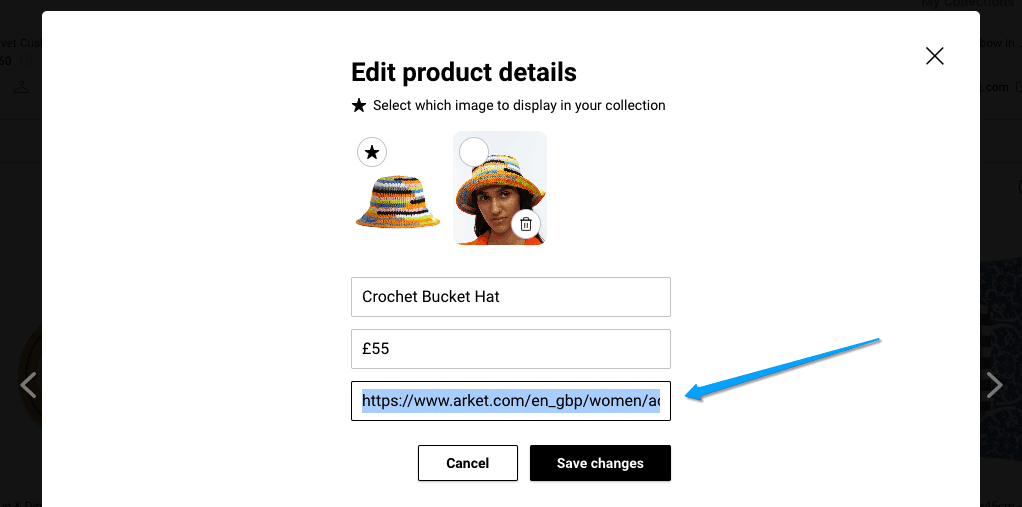
Copy paste the external affiliate link you want to use (e.g. from LTK, MagicLinks etc.) over the link Moonsift saved by default
Option 2: Replace the link while saving the item (desktop only)
Go to the product on the retailer’s website
Copy your affiliate link for the product from your external affiliate link service (e.g. from LTK, MagicLinks etc.)
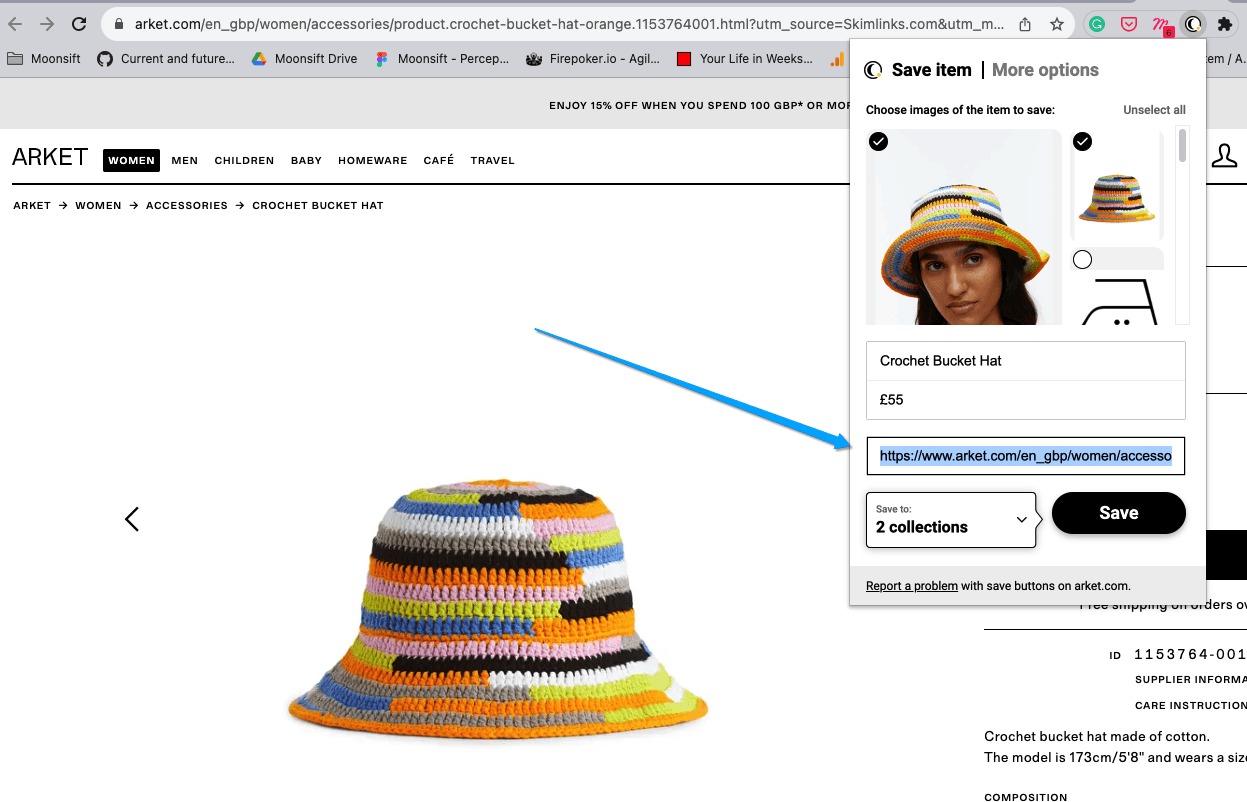
Click the Moonsift icon in your toolbar (Click here if you can't see the icon in your toolbar).
Replace the link that appears in the window (as per screenshot below) with your affiliate link and click ‘Save’.
The below video walks through this in more detail
Can’t find the question you’re looking for? Send us an email at hello@moonsift.com